Why Professional Communication Often Works Better With a Smaller Setup
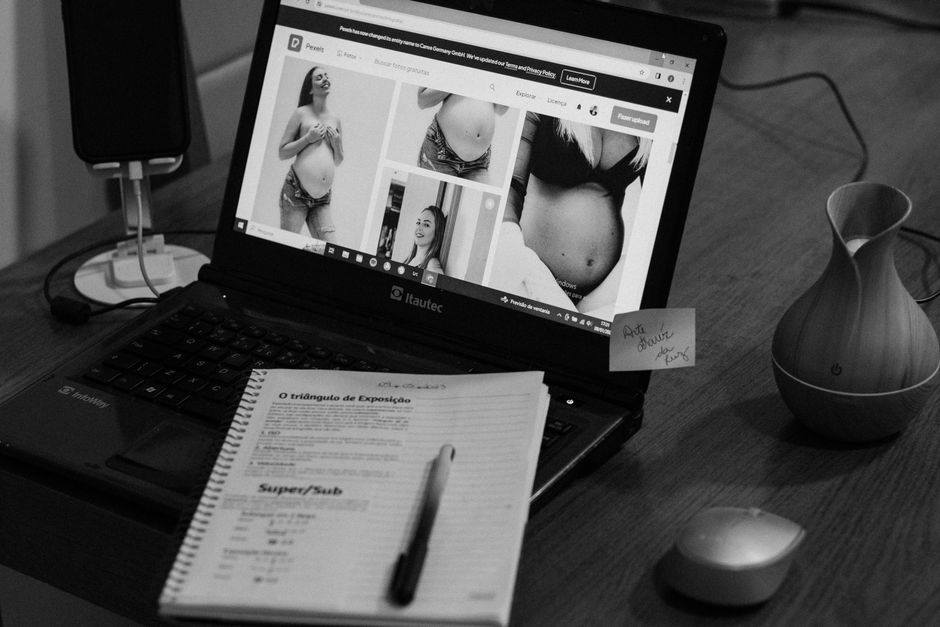
Early morning light filters through the window as you settle at your kitchen table, coffee mug in hand, ready to tackle the day. The first task on your list is to prepare for an important meeting later that afternoon. You open your laptop, but before diving into the agenda, you instinctively check your email. A flurry of new messages floods your inbox, each one demanding attention. As you scroll through, it's easy to lose sight of that crucial document you meant to refine. The email draft window remains open, but your focus shifts, and the preparation for clear communication begins to slip away.
With each reply you send, the time dwindles, and the original purpose of your morning gets overshadowed. You glance at your calendar, reminding yourself of the meeting agenda you had intended to confirm. But the distraction of incoming emails makes it difficult to prioritize that follow-up. The working document you planned to pin for quick access sits buried under the clutter of notifications. Without a clear strategy to manage these interruptions, the chance for effective writing preparation fades, leaving you scrambling for clarity just moments before the call.
The First Step That Gets Skipped
Early morning at the kitchen table, the aroma of coffee fills the air as you sit down with a task list and a notebook. The sunlight filters through the window, illuminating the clutter of yesterday’s notes and reminders. You open your laptop, ready to tackle the day, but the email draft window beckons. It’s tempting to dive straight into your inbox, thinking you’ll quickly handle a few replies before focusing on the important document for the upcoming meeting.
As you scroll through the messages, the agenda for that meeting slips your mind. Instead of confirming it, you get sidetracked by urgent emails, each reply pulling you further away from the clarity you need. The working document you intended to pin for quick access remains buried under a pile of unread notifications. You glance at your calendar, but the distractions make it hard to prioritize your tasks. Without a clear focus, you find yourself scrambling to prepare just moments before the call, realizing too late that the first step—confirming the meeting agenda—was overlooked.
To avoid this, establish a routine: before opening your email, take a moment to pin the working document and confirm the agenda. This small adjustment can create a crucial buffer against distractions. By setting this as your first action, you ensure that your preparation is grounded and clear, allowing you to communicate effectively when the meeting begins. Missing this step can lead to confusion, making it harder to articulate your thoughts during discussions.
What Gets Overlooked in the Rush to Write
This same friction shows up again in Balancing Work And Life, especially when the day tightens unexpectedly.
As the clock ticks toward your first meeting of the day, the clutter on your kitchen table becomes a visual reminder of distractions. Your laptop screen shows an email draft, but it’s buried under a flurry of incoming messages. Each ping pulls your attention away from the crucial task at hand: confirming the meeting agenda. This step often gets lost in the chaos, yet it’s vital for clear communication.
When you open your inbox, the sheer volume of unread emails can easily overwhelm your focus. You might think, "I’ll just check a couple of these quickly," but that leads to a cascade of replies that consume your time. Each email you respond to steals precious moments that could have been spent organizing your thoughts or reviewing the agenda. Rather than prioritizing the document you need for the meeting, you find yourself reacting to new emails, which only adds to the confusion.
To counteract this, develop a habit of pinning your working document before diving into your inbox. Make it the first action you take each morning. This simple adjustment creates a clear starting point for your preparation. By having the agenda open and visible, you can align your thoughts and responses, ensuring you’re not just reacting but actively engaging with the meeting's objectives. Skipping this step can leave you scrambling, leading to unclear communication when it matters most.
A Better Order for the Same Five Minutes
A slightly different version of this problem appears in Writing Clearly At Work, where the sequence changes but the hidden drag feels familiar.
Early mornings at the kitchen table often bring a rush of tasks. As you sip your coffee, the email draft window is open, showing a list of unread messages. It’s tempting to dive into replies, but those first five minutes can set the tone for your meeting day. Instead of letting email distractions take over, prioritize your agenda by pinning the working document to the top of your screen. This simple action ensures it’s the first thing you see when you sit down.
Once pinned, take a moment to review the agenda thoroughly. Spend those five minutes focusing solely on the document, mentally preparing your points and questions. This shift in sequence—from opening your inbox first to engaging with the agenda—creates a clearer mindset. When you finally do check your emails, you’ll find you’re less reactive and more focused on contributing meaningfully to the meeting. If you skip this step, you risk losing track of key discussion points, leading to unclear communication when it matters most. By adjusting the order of your morning tasks, you enhance your ability to write clearly and effectively during team discussions.
What Changes Once the Sequence is Cleaner
Shifting your focus to the agenda before diving into your emails can significantly reduce stress as you prepare for a meeting. Instead of feeling overwhelmed by a flood of new messages, dedicating the first few minutes of your workday to reviewing the pinned document creates a sense of control. With your coffee mug steaming beside you and your notebook open, you can jot down key points or questions that arise while reading through the agenda. This practice not only clarifies your thoughts but also sets a more purposeful tone for your contributions.
Once you’ve confirmed the agenda, drafting concise emails becomes much easier. Instead of scrambling to remember what was discussed or what needs follow-up, you can reference the agenda directly in your communication. For instance, if a team member asks for clarification on a project deadline, you can reply with a clear, focused message that ties back to the agenda item, enhancing overall team communication. This clarity fosters a more productive discussion during the meeting, as everyone is aligned on the same points.
Another noticeable improvement is the reduction of last-minute chaos. By prioritizing the agenda, you avoid the common pitfall of being reactive to incoming emails, which often leads to missing important details. Instead of feeling scattered, you’re equipped with a solid understanding of the meeting’s objectives. This cleaner sequence not only enhances your ability to write clearly but also promotes a more organized workflow, ultimately benefiting your professional communication.
As the morning light creeps in, the clutter of new email notifications can easily drown out the crucial task of preparing for your meeting. If you find yourself skimming through replies instead of confirming your agenda, you risk entering the meeting unprepared. This chaos can lead to unclear communication, where important points get lost in the shuffle. Instead, take a moment to pin your working document at the top of your screen before diving into your inbox. This simple step allows you to keep your focus on what truly matters.
Next time you sit down at your kitchen table with your coffee mug in hand, make it a habit to check that agenda first. By prioritizing this step, you not only enhance your writing clarity but also set a tone of professionalism for your team. With a clear agenda visible, your communication becomes more structured, and you’re less likely to miss key details that could derail the discussion. This small adjustment can transform your meeting day from chaotic to organized, ensuring that your contributions are both clear and impactful.


