The Small Change That Enhances Clarity in Your Work Writing
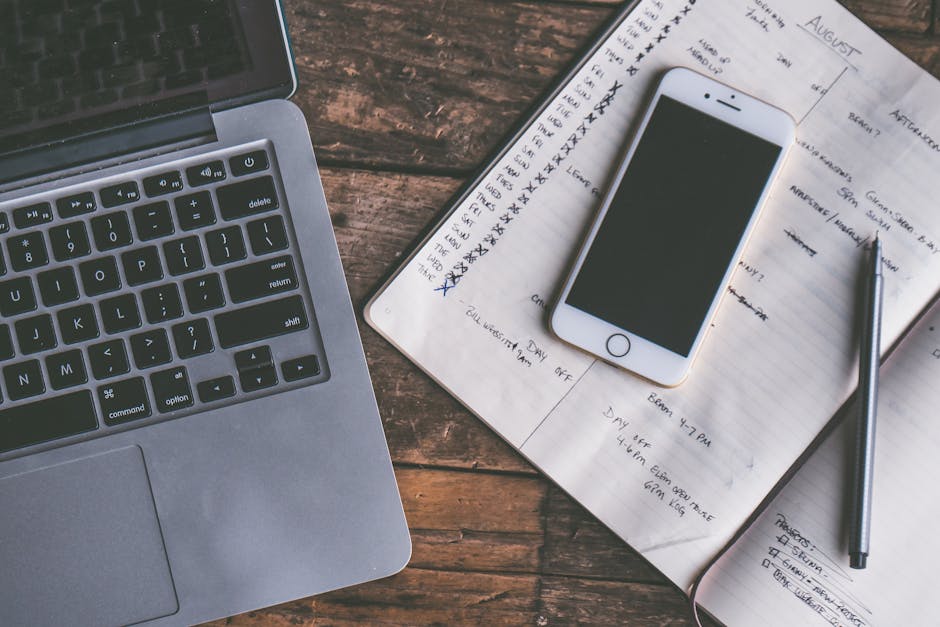
As the early morning light filters through the kitchen window, the remote worker sips from a coffee mug while glancing at the calendar on their laptop screen. The day is packed with back-to-back meetings, each demanding clear communication and well-prepared notes. A quick look at the task list reveals a follow-up email draft that needs polishing before the first call. Yet, as they prepare to open the email window, a familiar frustration surfaces: notes and reminders scattered across different apps and documents, making it easy to lose track of critical points.
This chaotic setup can lead to missed details and unclear messages, especially when the clock is ticking. The worker knows that without a solid pre-meeting check, important information can slip through the cracks. The scattered notes might lead to a situation where a crucial follow-up gets buried under a flood of new emails. By taking a moment to consolidate notes into one accessible document before diving into the day's tasks, clarity in writing can become not just a goal but a practical reality, setting the tone for effective team communication throughout the day.
The Morning Setup: A Crucial First Step
Before the first call of the day, the remote worker sets their coffee mug on the left side of the desk, within easy reach, while the notebook sits open on the right, ready for quick notes. The laptop hums to life as they open it, revealing a task list and calendar side by side on the screen. This early morning setup is not just about convenience; it’s a strategic move to lay the groundwork for clear communication later on.
As they scan the calendar for the day’s meetings, a quick glance at the task list reveals a follow-up email draft that needs attention. Instead of diving into the email window right away, they pause to consolidate scattered notes from various apps into a single document. This small but vital adjustment prevents the chaos of losing important points, which often happens when notes are left in multiple places. By ensuring everything is in one accessible spot, they create a clear path for writing effective emails that won’t get buried under a flood of incoming messages later in the day.
The Overlooked Steps in Document Preparation
Before diving into the day's work, a quick review of the task list can reveal urgent items that need attention. As the coffee mug sits steaming beside the laptop, the screen displays a calendar filled with back-to-back meetings. Each meeting comes with an agenda, but often, the details get lost in the shuffle. This is where the friction begins: without gathering relevant documents beforehand, important points can slip through the cracks.
- Check the calendar for meeting times and agendas.
- Review the task list for any urgent follow-ups or notes.
- Consolidate documents from various platforms into a single folder.
One overlooked step is ensuring that all meeting notes are in one accessible location. When notes are scattered across different apps, they can easily become buried under new emails or forgotten entirely. This disorganization steals time and attention, making it harder to recall critical points during discussions. By taking just a few minutes to gather everything into a single document before the first meeting, the remote worker sets themselves up for clearer communication and less scrambling later on.
The Friction of Fragmented Information
Morning light spills across the kitchen table where a remote worker sips coffee, staring at a jumble of notes scattered across the surface. Handoff notes from different projects are saved in various places: some in email drafts, others tucked away in cloud storage, and a few hastily jotted down in a physical notebook. This disarray creates a bottleneck that hampers clear writing, especially as the clock ticks down to the first meeting of the day.
As the worker prepares to open their laptop, they remember the last time they struggled to find a critical follow-up email buried under a flood of new messages. Important details slipped through the cracks, leading to confusion during discussions. Without a centralized location for notes, the risk of overlooking key points increases. Each meeting becomes a scramble to recall information, which only adds to the stress of back-to-back calls.
A practical check can streamline this process: before diving into the day's tasks, the worker opens a single document on their screen, consolidating notes from various sources. They copy and paste relevant points from email drafts and cloud files into this document, creating a cohesive reference for the upcoming meetings. This small adjustment not only saves time but also ensures that essential information is at their fingertips when it matters most.
However, the friction remains palpable. Even with a centralized document, there’s a risk of forgetting to update it after each meeting. The next task on the list is to set a reminder to review and refine this document after every call, ensuring that it evolves alongside the projects. Without this step, the clarity achieved in the moment can quickly dissolve into chaos, leaving the worker scrambling once again.
Streamlining Your Pre-Meeting Routine
This same friction shows up again in Balancing Work And Life, especially when the day tightens unexpectedly.
Before the day kicks off, take a moment to check your calendar. This simple act allows you to prioritize your meetings and understand what topics will require your attention. With a coffee mug in hand, sit at your desk and glance over the agenda. Knowing what’s ahead helps you focus your notes and identify which points need clarity in your emails.
Once you have a grasp of your schedule, open a digital note-taking app or a blank document on your screen. This will serve as your central hub for all relevant information. Instead of juggling multiple email drafts and scattered notes, copy and paste key points from your various sources into this document. Aim for a cohesive reference that you can quickly refer to during your calls. This consolidation not only saves time but also reduces the risk of missing critical details.
Set a timer for five minutes to draft your email follow-ups or any necessary notes. This focused writing period encourages you to articulate your thoughts clearly without distractions creeping in. During this time, you might realize that a follow-up email from yesterday has already buried itself under new messages. By having everything in one place, you can avoid the frustration of searching for lost information later.
Finally, make it a habit to review this document after each meeting. This adjustment ensures that your notes evolve alongside your projects, maintaining clarity as tasks progress. Without this step, the clarity you achieve in the moment risks fading away, leaving you scrambling to recall important points later.
What Runs More Smoothly After That
A slightly different version of this problem appears in Writing Clearly At Work, where the sequence changes but the hidden drag feels familiar.
As the clock ticks toward your first call, the clarity of your notes can transform your meeting day. Sitting at your kitchen table, coffee mug in hand, you take a moment to glance at your task list and calendar. The first action is simple: open your email draft window and pull up the consolidated notes document. This single screen now holds all the relevant points from previous discussions, making it easier to reference during calls.
With everything in one place, you can quickly check off items as they’re discussed, ensuring no crucial detail slips through the cracks. If a follow-up email comes to mind mid-call, you can jot it down right there without the hassle of switching between multiple windows or losing your train of thought. This streamlining reduces the friction of searching for lost information later; instead of rifling through your inbox, the answers are right at your fingertips.
After each meeting, spend a few moments updating your notes. This isn't just a chore; it's a chance to refine your understanding of the project and clarify any points that might have been murky during the discussion. By doing this consistently, you create a living document that evolves with your work, making future meetings feel more cohesive and informed.
As you sit at your kitchen table with your coffee mug in hand, take a moment to glance at your calendar before diving into your email drafts. This simple act of checking your schedule can help you prioritize your notes and ensure that nothing crucial is overlooked during your back-to-back calls. When you know what’s coming, you can tailor your writing to address specific agenda items, making your communication more effective.
Before each meeting, open a single document to gather all relevant notes and action items. By consolidating your thoughts into one place, you reduce the risk of losing important information in the chaos of your inbox. This preparation not only enhances your writing but also boosts your confidence in team discussions, allowing you to contribute clearly and effectively. Make this a habit, and watch how it transforms your workflow on meeting-heavy days.